
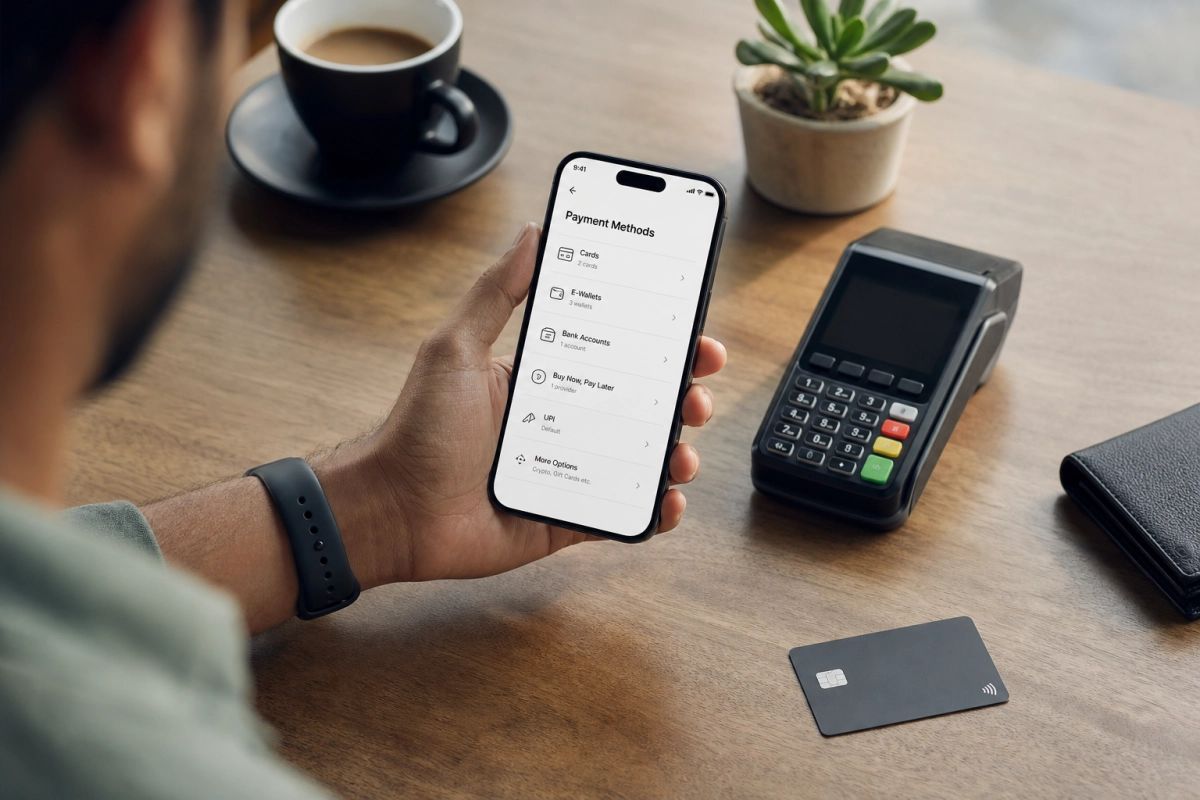
Choosing Asino Payment Methods on a Mobile Device
Players aged 21 and over can use this guide to compare Asino payment methods by mobile compatibility, authentication, transaction limits, processing times, and spending control. The cashier may display cards, e-wallets, bank services, prepaid vouchers, mobile wallets, and cryptocurrency, but the exact selection depends on the player’s country, currency, account status, and device.
A payment method that appears convenient for deposits may not offer equally fast withdrawals. Before selecting an option, the player should check whether it supports both transactions, which verification steps apply, and whether the minimum and maximum amounts suit the planned bankroll. Availability and limits should always be confirmed in the current Asino cashier because regional conditions can change.
Comparing the Main Asino Payment Methods
Each payment category offers a different balance of convenience, authentication, and control. The following overview helps mobile users identify the practical differences before making a deposit.
- Debit and credit cards: Visa and Mastercard are familiar and widely supported on smartphones. Card payments usually require card details and, depending on the bank, an additional 3-D Secure approval in a banking app or by one-time code. Deposits can be convenient, while withdrawals may be handled through another eligible method.
- E-wallets: Services such as Skrill or Neteller can reduce the need to enter card details repeatedly. Login approval, a passcode, biometric access, or two-factor authentication may be required. E-wallets are often well suited to mobile use, although account and transaction fees can depend on the provider.
- Bank transfers and banking services: These can be appropriate for larger transactions but may involve more fields, bank authentication, and longer processing periods. A banking app may make approval easier, but the player should confirm the receiving details carefully.
- Prepaid vouchers: Options such as Paysafecard can help separate gambling funds from a main bank account. They generally support deposits rather than withdrawals, and unused balances may be subject to the voucher provider’s conditions.
- Apple Pay and Google Pay: Mobile wallets can streamline authentication through a device passcode or biometrics. Their availability depends on the country, supported card, phone, and cashier configuration.
- Cryptocurrency: Crypto transactions may offer mobile wallet access and currency-specific limits. Values can change rapidly, network fees may apply, and transfers are generally irreversible once sent, so the wallet address and amount require careful checking.
Mobile Authentication, Limits, and Responsible Control
Mobile payment security commonly involves account login protection, payment-provider approval, and Know Your Customer checks. Asino’s terms generally require payments to come from an account or method held in the player’s own name; third-party payments can create verification or withdrawal problems. A request for identity, address, or payment ownership documents should be completed through the operator’s approved process.
Limits are not universal. A reported minimum for many fiat methods is around €20, while cryptocurrency minimums can vary by coin and network. Maximum deposits, withdrawal caps, currency support, and fees may differ by region. Players should review the cashier before committing funds rather than relying on figures shown on older pages.
Responsible bankroll management is easier when the selected method supports clear boundaries. A player can:
- set a fixed entertainment budget before opening the cashier;
- avoid using credit funds or money needed for essential expenses;
- deposit only the planned amount instead of increasing limits during play;
- keep transaction records and review fees before confirming; and
- use cooling-off or deposit-limit tools where available.
The next section will examine withdrawal routes, expected processing stages, and the practical differences between depositing and cashing out on mobile.
Managing Mobile Withdrawals from Asino
Withdrawing funds on a smartphone usually begins in the Asino cashier, where the player selects an available withdrawal method and enters the amount. The options shown may be narrower than those available for deposits. For example, a card may accept deposits but not support direct withdrawals, while an e-wallet or bank service may be required for cashing out. The player should therefore check the withdrawal list before choosing a deposit route.
Withdrawal requests can also require completed identity and payment verification. Asino may ask for a copy of an identity document, proof of address, or evidence that the payment method belongs to the account holder. A mobile camera can be used where the verification process supports it, but documents should be clear, current, and submitted only through the official account area. Players should avoid sending sensitive information through informal messages or unverified links.
Processing Stages, Fees, and Mobile Checks
A withdrawal commonly passes through several stages: submission, internal review, approval, and processing by the bank or payment provider. The cashier may show an estimated timeframe, but weekends, public holidays, verification requests, and provider procedures can affect the final arrival date. E-wallets may be quicker after approval, whereas bank transfers can take longer. The displayed estimate should be treated as guidance rather than a guarantee.
Before confirming, the player should review the requested amount, currency, destination account, and any stated fee. Some providers apply their own charges or currency-conversion costs, even where Asino does not add a separate fee. A withdrawal that leaves a small balance may also be affected by minimum transaction rules. If a request remains pending beyond the stated timeframe, the player should record the transaction reference and contact official support instead of submitting repeated requests.
Using a Smartphone Safely After Payment Confirmation
Mobile convenience should not remove basic security checks. Players should use the official Asino website or application, confirm that the connection is secure, and avoid making payment decisions on public or shared devices. A strong, unique account password and two-factor authentication can reduce the risk of unauthorised access. Device updates, screen locks, and biometric protection provide additional safeguards, but they do not replace checking the payment details before approval.
After depositing or requesting a withdrawal, the player should save the confirmation screen or reference number and monitor the account statement. Comparing the amount sent with the amount received can reveal exchange-rate differences, provider charges, or an incorrect destination. Players should also keep their bankroll separate from everyday funds where possible and avoid chasing delayed withdrawals with additional deposits. If a payment problem or loss of control develops, pausing activity and using available account limits or support tools is safer than attempting to recover funds through further play.
Making a Deliberate Mobile Payment Choice
The most suitable Asino payment method is the one that matches the player’s device, verification preferences, withdrawal needs, and predetermined entertainment budget. Taking a moment to review the current cashier details before confirming a transaction can prevent avoidable delays, fees, and verification issues.
Mobile access should make payment management clearer, not encourage rushed decisions. Players should keep their account secure, use only personal payment methods, and treat deposit and withdrawal tools as part of a planned approach to entertainment. If a transaction or spending pattern becomes difficult to manage, pausing activity and using the available account-support options is the responsible next step.